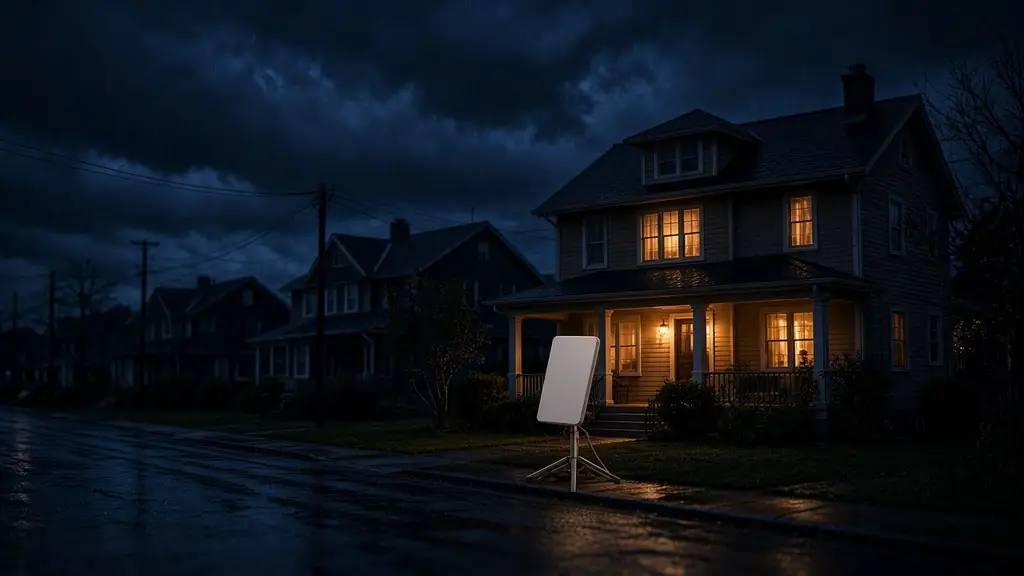
When the grid goes down, cable and cell service often fail too: neighborhood equipment runs on limited backup, and towers get congested. A Starlink kit will keep you online only if the dish — and, on a Standard kit, the router — stay powered.
When the grid goes down, cable and cell service often fail too: neighborhood equipment runs on limited backup, and towers get congested.From this guide
Official power draw: Standard and Mini
These figures are from Starlink's current published specification sheets, not from third-party testers. Use them as averages; snow melt, extreme cold and poor aim can draw more.
| Kit | Average power (Starlink spec) | How it is powered |
|---|---|---|
| Current Standard (Standard 4 and Standard 4 X kits) | 75–100 W average | AC power supply (100–240 V) |
| Mini | 25–40 W average | Included AC power supply, or 12–48 V DC (60 W input rating), or USB-C PD |
Sources: Starlink's Standard 4 and Standard 4 X specification sheets list average dish consumption as 75–100 W. The Mini specification sheet lists 25–40 W average, a 12–48 V, 60 W input rating, and a USB-C PD requirement of 100 W, 20 V / 5 A minimum when you use Starlink's USB-C to barrel-jack cable. Earlier Standard kits were specified at 50–75 W average; if you have an older Standard dish, check the sheet that came with that generation rather than assuming 75–100 W.
Starlink does not publish a separate wattage for the Standard kit's router. That router is a separate AC-powered unit, so put it on the same backup as the dish. The Mini has Wi-Fi built into the dish, so one power feed covers both.
Hardware is sold by Starlink at starlink.com. We did not add Amazon links to Standard or Mini kits because the listings we checked were from third-party or generic sellers, not from Starlink or Amazon.
Run it from a power station
The straightforward method for either kit is to plug the official AC power supply into a portable power station. Pick a station whose continuous AC output is comfortably above 100 W for a Standard kit (most mid-size stations are), and leave headroom if you will also charge phones or run a light. Keep the power station indoors, dry, and off the floor if there is any risk of meltwater around a doorway.
The Mini can also run without the AC brick. Officially, it accepts 12–48 V DC at a 60 W input rating, and Starlink's USB-C to barrel-jack cable is specified at 100 W, 20 V / 5 A. A power station or power bank can feed that cable only if it actually offers USB-C Power Delivery at 100 W, 20 V / 5 A — not merely "100 W total" split across ports, and not a 30 W phone bank. Starlink also sells a Mini car adapter for standard 12–24 V vehicle outlets in some markets; see Starlink's Mini car adapter help.
Runtime math by battery size
For AC power from a station, usable hours ≈ (battery watt-hours × 0.85) ÷ watts, to allow for inverter losses. The table uses Starlink's published average ranges. Snow melt or a weak aim can shorten these times.
| Battery | Standard at 75 W | Standard at 100 W | Mini at 25 W | Mini at 40 W |
|---|---|---|---|---|
| 500 Wh power station | about 5.5 hours | about 4 hours | about 17 hours | about 10.5 hours |
| 1,000 Wh power station | about 11 hours | about 8.5 hours | about 34 hours | about 21 hours |
| 2,000 Wh power station | about 22.5 hours | about 17 hours | about 68 hours | about 42 hours |
| 24,000 mAh PD bank (~89 Wh) that can supply 100 W, 20 V / 5 A | not a fit for Standard AC | not a fit for Standard AC | very roughly 2 to 3 hours | very roughly 2 hours |
The power-bank row applies only to a Mini on the official USB-C path (or an equivalent 100 W, 20 V / 5 A source). A 20,000 or 24,000 mAh bank that tops out at 18–30 W cannot run the Mini on that cable, even if the watt-hours look adequate. For phones and other small devices, see how to keep phones and devices charged.
If you charge from a vehicle, use the official Mini path (12–48 V, or Starlink's car adapter, or a USB-C PD charger that truly meets 100 W, 20 V / 5 A) and keep the vehicle outdoors. Never idle a car in a garage to keep the internet on.
Tips that matter in an outage
- Put the router on backup too. On a Standard kit the router is a separate AC device. If only the dish stays on, you will not have Wi-Fi.
- Keep the dish clear of snow. Starlink rates snow melt at up to 40 mm (1.5 in) per hour on current Standard 4 / 4 X dishes and up to 25 mm (1 in) per hour on the Mini, per those specification sheets. Melting uses extra power, and a buried dish will lose the sky. Brush snow off when you can.
- Use Sleep Schedule if you do not need the link all night. The Starlink app can pause service on a daily schedule, which saves power. Set it up in the app; Starlink documents the steps in its Sleep Schedule help article. Follow Starlink's guidance about snow and about how to resume service after a sleep window.
- Give the dish a clear view of the sky and keep the indoor power supply dry and ventilated.
For generator safety if you recharge a station with fuel, see generator vs portable power station and keep the generator at least 20 feet from the house, per the CPSC.
Example power gear for Starlink
Power stations
- Anker SOLIX C1000 Gen 2 portable power station1,024 Wh; 2,000 W output (3,000 W peak)
- Jackery Explorer 1000 v2 portable power station1,024 Wh LiFePO4; 1,500 W AC output (3,000 W surge)
- EcoFlow DELTA 2 Max portable power station2,048 Wh LFP; 2,400 W output; expandable to 6 kWh
USB-C PD power bank and 100 W car charger
- Anker 737 Power Bank (24,000 mAh, 140 W)24,000 mAh (~89 Wh); 140 W USB-C PD 3.1 output
- Anker 167.5 W 3-port USB-C car chargerOne USB-C port at 100 W, plus 45 W USB-C and 22.5 W USB-A
Folding solar panel to refill a station
- Anker SOLIX PS100 100 W bifacial portable solar panel100 W rated bifacial folding panel; about 7 lb with stand; IP68
Specs come from each product's Amazon listing (checked Nov 27, 2026). We don't list prices, so check the current price, stock and compatibility on Amazon. These are examples that fit the size, not the only good choices.
Published by Good Vision Media. Updated November 27, 2026. General information only; for anything wired into your home, use a licensed electrician.